DbSchema Alternative
Why choose Lucidchart? As a much more affordable alternative to DbSchema, with Lucidchart you can quickly create a database diagram online and collaborate with team members. Designing a database has never been easier.
Make a diagram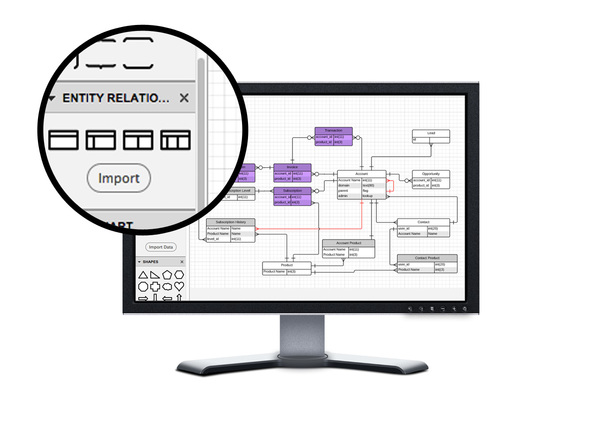
Database schema design tool
Lucidchart is the database design software your team needs to map out any database. Whether you start from scratch or import existing database files, Lucidchart makes it easy for you and your team to design and maintain a properly functioning database.
Try it nowAutomatic database design
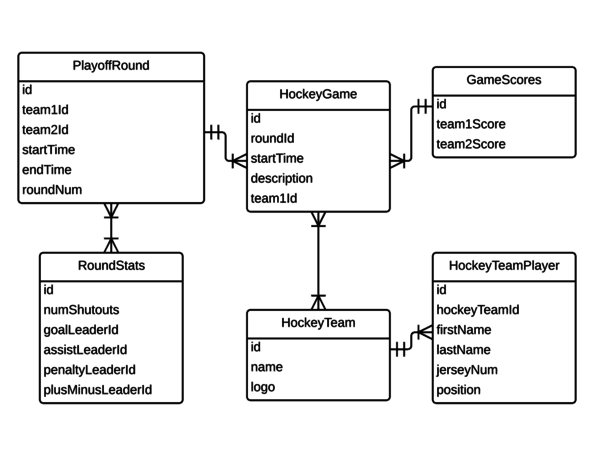
Lucidchart’s database import and export make it easy to move your work to and from MySQL, Oracle, PostgreSQL and SQL Server. After importing, just drag your custom tables onto the canvas—the relationships will appear automatically. When you're finished, generate SQL code for a seamless transition. Read our database design tutorial to get started
Online database design
Lucidchart’s free database design tool runs entirely online, so you can create and edit your database schemas anywhere, on any browser. Plus, you’ll never have to worry about installations or updates again.
Share and collaborate
With in-editor chatting and commenting, Lucidchart is the perfect platform for diagramming your database as a team. Work together in real-time, or take turns editing—it's up to you.
Database modeling
Whether you’re a domain architect or a software engineer, Lucidchart makes it easy to organize database tables, including keys, fields and relationships. Check out our guide to database models to get started
Flexible pricing
Create a entity-relationship diagram with a free account, or upgrade for extra features, including SQL export, Visio compatibility and handy integrations.
Designer friendly
Whether you’re a domain architect, a software developer or a database administrator, Lucidchart’s ER diagram tool has all you need to lay out and maintain an efficient database.
Post or publish
To keep everyone on the same page, publish your database schema online or download it as an image or PDF. Then share and send it as needed.