Log in

Database design tool

Lucidchart is an intelligent diagramming application that makes creating database diagrams easy. Customize shapes, import data, and so much more.

Make a free database diagram
Sign in with GoogleGoogleSign in with MicrosoftMicrosoftSign in with SlackSlack
  • Amazon logo
  • BAWAG PSK logo
  • NBC logo
  • Venmo logo
  • Google logo

Lucidchart is your collaborative database diagram tool

Get started in minutes with intuitive, dynamic features.

Import database structure

Import your structure

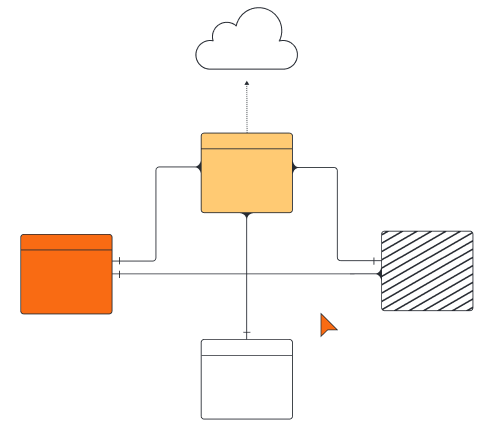
Import your database structure directly from your database management system into Lucidchart to better visualize your database as an entity relationship diagram (ERD). Our database designer tool supports DBMS platforms such as MySQL, Oracle, PostgreSQL, and Microsoft SQL Server.

Import Salesforce schema

Import your Salesforce schema

Our intuitive database diagram tool offers a Salesforce schema import feature to help Salesforce admins quickly visualize and make improvements to their Salesforce instance.

customize database structure

Easy and customizable

Easily customize objects and relationships within your diagram, then collaborate freely with your team to confirm your proposed changes in Salesforce.

Cloud based diagramming

Work from anywhere

With cloud-based diagramming, it’s easy to start a database design online from anywhere, no matter the device, browser, or operating system.

Export diagram to SQL

Export to your DBMS

With a few clicks, you can export your revised database diagram to SQL to easily transition from your Lucidchart canvas to your DBMS.

Reviews and ratings

Third-party reviews

Lucidchart is trusted by millions of users and has thousands of five-star reviews on third-party apps like Capterra, G2, and TrustRadius.

Master the Lucidchart basics in 3 minutes
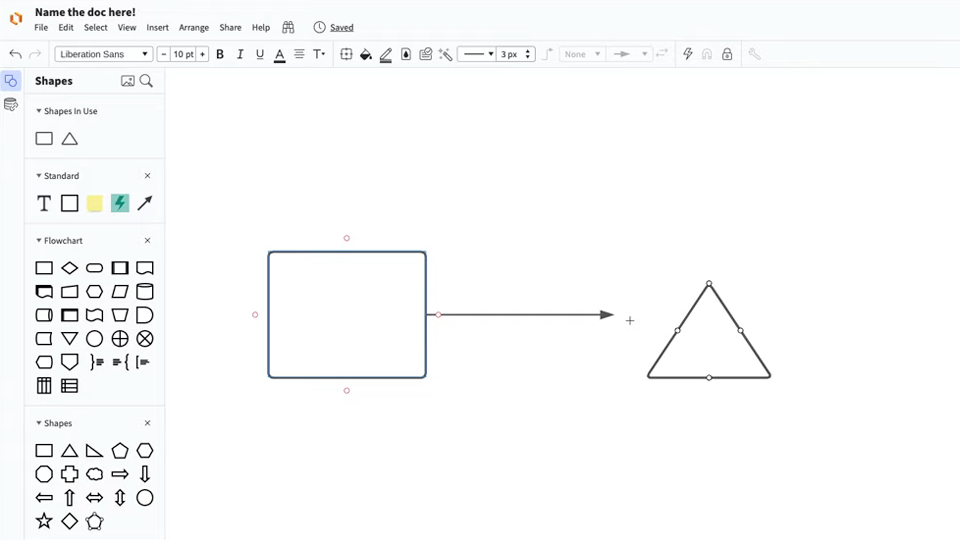
Master the basics of Lucidchart in 3 minutes

master the basics of Lucidchart in 5 minutes

  • Create your first database diagram from a template, blank canvas, or imported document.
  • Add shapes and text and connect lines to your database structure.
  • Adjust styling and format within your database diagram.
  • Use Feature Find to locate anything you need within your diagram.
  • Share with your team to start collaborating.
Make a database diagram

Database diagram templates

Get started building out your own database diagram online with these templates from our gallery.
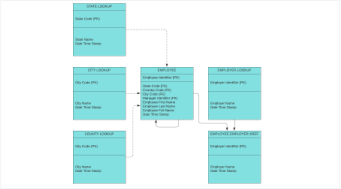
Template of logical data model

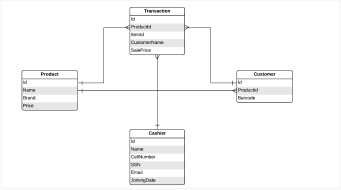
Logical data model example template

Go to Logical data model example template template

Template of NoSQL database design

NoSQL database design example template

Go to NoSQL database design example template template

Lucidchart integrations

Connect Lucidchart to your favorite industry-leading apps.

Lucidchart Integrations

See why teams use Lucidchart as their database design tool

Diagram, visualize data, and collaborate all in one platform.

Lucidchart collaboration

Collaboration

Use Lucidchart on any device with ease. Lucidchart helps teams collaborate in real time from anywhere in the world. Enhance productivity while working with your team to achieve your goals.

Diagram clarity

Clarity

Lucidchart brings clarity to the complex. Intelligent diagramming allows you to quickly visualize projects and processes from start to finish.

Align shapes on a diagram

Alignment

Drive alignment with your team by collaborating in the same space. Quickly map out processes and ideas together in real time so that you never miss a beat.

Woman diagramming on laptop

Better together

The Lucid Visual Collaboration Suite transforms the way you work from ideation to project completion. Brainstorm and plan in Lucidspark, then map it out in Lucidchart. Create a living blueprint of your organization.

What is a database diagram?

A database diagram shows the logical structure of a database, including the relationships and constraints that determine how data can be stored and accessed. Individual database models are designed based on the rules and concepts of whichever broader data model the designers adopt. Most data models can be represented by an accompanying database diagram.

How to use our database schema design tool

  1. Select the ERD shape library and import

    Use the ERD shape library to create your database structure. Start from scratch or streamline the process by importing your schema from Salesforce or your DMBS of choice.

  2. Determine the entities from your database

    List out every step in your process from start to finish, arranging them in sequential order. Be sure to include inputs, outputs, individual roles needed, time durations, etc.

  3. Identify relationships between entities and add necessary attributes

    Draw outlines and cardinalities between entities to indicate their relationships, then add necessary attributes associated with your entities.

  4. Arrange, format, and collaborate

    Once you've mapped your database, share it with others to get feedback on proposed changes and to ensure it's correct. Rearrange and format shapes and lines as you see fit.

  5. Export your database design back to your DBMS

    Export your database back to your DBMS using our export feature. Publish your diagram for others to reference using popular apps such as Confluence, Jira, Google Workspace, Microsoft Office, and more.

Frequently asked questions about our database designer tool

Can I import my schema from Salesforce so I can help out the architecture of my Salesforce instances?
Yes! Use the ERD shape library to build your database on your canvas or use the Salesforce import feature to import your schema and save time from manually entering your info.
What’s the best way to start mapping my existing database structure in Lucidchart without having to start from scratch?
Use the ERD import feature from the ERD shape library. If you're not importing from Salesforce, use the regular import feature to select the DBMS you want to import from.
What database management systems (DBMS) can I import my database from?
Lucidchart lets you import your schema from several database management systems including MySQL, Oracle, PostgreSQL, and Microsoft SQL Server.
I redesigned my database design in an ER diagram in Lucidchart. How can I export it back into my DBMS?
Use the export feature in the ERD shape library, select the DBMS you are using, and copy and paste your newly generated commands into your DBMS of choice.
How do I determine the kind of database model I should diagram in Lucidchart?
It depends on the rules and concepts you want to showcase. Use our guide detailing commonly used database models and see which one best suits your needs.
  • Learn more
What is a database structure?
A database structure is the building block of a database. Within a database, related data points are grouped into tables, consisting of rows (also called tuples) and columns—similar to a spreadsheet.
What are the database design process phases?
There are four phases in the database design process: 1) Requirements analysis, or identifying the purpose of your database, 2) organizing data into tables, 3) specifying primary keys and analyzing relationships, and 4) applying normalization rules to standardize the tables.

Get started

  • Pricing
  • Individual
  • Team
  • Enterprise
  • Contact sales
PrivacyLegalCookie privacy choicesCookie policyYour privacy choices iconYour privacy choices
  • LinkedIn
  • Twitter
  • Instagram
  • Facebook
  • YouTube
  • Glassdoor
  • TikTok

© 2026 Lucid Software Inc.