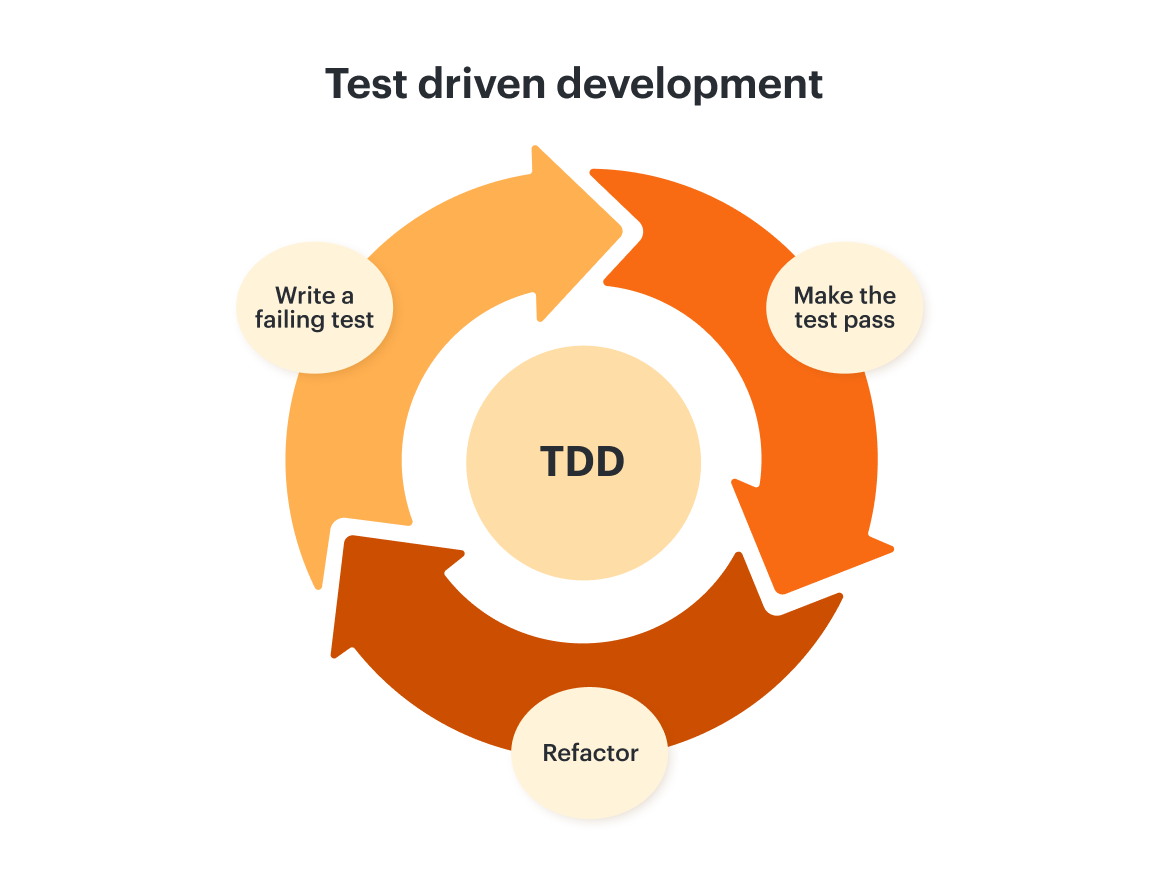
TDD steps
While many teams stick to the three phases of test-driven development, others like to break them down into more steps:
-
Process and thoroughly understand the request or feature.
-
Write a unit test to translate the requirement. Note that the unit test will run and fail if you have hot reloading set up since the code hasn’t been implemented yet.
-
Write the code that fulfills this requirement and implement it.
-
Refactor to clean up your code.
-
Repeat!
Differences between test-driven development and traditional development
While TDD is widely used, it’s not the traditional form of development. Here are some basic differences between the two:
Process order: Test-driven development promotes testing before code development, unlike traditional testing, which is performed after writing the code.
Scope: While TDD tests small units of code at a time, traditional testing promotes testing the entire system as a whole.
Problem-solving: The goal of TDD is to catch bugs as early as possible so they’re easier to fix. Traditional testing doesn’t prioritize this, so if bugs are discovered later, they may be more difficult to fix.
Documentation: As a general rule, traditional testing documentation is more comprehensive, containing information about the testing process, environment, and system. In contrast, TDD documentation typically focuses solely on the test cases and their associated results.
Test-driven development vs behavior-driven development.
Test-driven development sometimes gets conflated with behavior-driven development, or BDD. And while they are similar, there are some key differences in their scope. In test-driven development, developers write the tests. In BDD, automated specs are actually created by users or testers, then the developers wire them to the code under the test.
Advantages and benefits of test-driven development
As with any software development methodology, TDD has many advantages that make it intriguing to engineers. It also has some disadvantages that you’ll want to consider before adopting it.
Advantages of test-driven development
-
TDD promotes agile development, boosting efficiency and saving money.
-
TDD enhances software quality and reliability, increasing user satisfaction as well.
-
As long as best practices are followed, the developed code should be flexible enough to extend if needed and is easy to maintain.
-
TDD adds structure to the development process overall.
-
Unit tests are easier to document, read, and understand.
-
TDD allows for faster and safer code deployment.
Disadvantages of test-driven development
-
There is a steeper learning curve to TDD than traditional software development, and it requires both a new skill set and mindset.
-
Applying TDD to existing systems or projects can be difficult since it only works with initiatives intentionally designed to be test-first.
-
TDD creates extensive detail that often cannot be recreated later on.
-
Your test suite will need to be kept up to date with code and requirements changes. Without the proper resources and training, this can be time-intensive and challenging.
TDD best practices
Following best practices is vital to reaping all the benefits of TDD. Here are some to consider:
-
Don’t begin until you thoroughly understand the requirements and specs of the feature you want to develop. Without this knowledge, you cannot efficiently focus the tests.
-
Each test you run should only focus on a single aspect or feature for ease of understanding and maintenance.
-
Refactor often as the project progresses to improve its design without changing behavior so the code is clean.
-
Follow the three phases of the cycle closely. Resist the urge to skip a step to speed up the test-driven development process.
-
Give each test a simple name that reflects what is being tested. That way, others can easily understand its purpose.
-
Promote an optimized feedback loop for faster iteration and problem identification.
Lucidchart can help you maximize TTD
Because TDD differs so significantly from traditional development, proper documentation is key to keeping everyone aligned on the project and methodology as a whole (especially for those new to it).
Lucid is a perfect resource for teams looking to document the implementation of TDD. With hundreds of templates to kick-start your work, features that make it easy to update in real time and communicate clearly, and integrations that allow you to leverage the work you’ve already done, Lucid maximizes the efficiency of IT professionals and developers alike so you can get more done, faster.