Have you ever wondered how many websites there are in the world? It’s hard to pinpoint the exact number of sites because the number changes almost constantly. As of January 2019, the Netcraft Web Server Survey says there are over 1.5 billion websites.
Because people have so many sites to choose from, it can be a daunting task to develop a website that will draw customers. It’s not like you can simply throw together some HTML, use some pretty colors, slap on some eye-catching graphics, and expect customers to instantly flock to your site.
Even if you could, pretty pictures and colors alone will not drive customers to your site in the numbers you expect. Planning how your website will look and how it will function is just as important as building it.
In this article, we will give you a simple website planning guide and offer some online website planning tools that can help you create a compelling site that will appeal to your customers.
Step 1: Preplanning your website
Before you start tagging HTML, coding, scripting, or throwing graphics at your site, you need to determine what the website will be and who it is for.
What are your website’s objectives?
You should already have a business plan that defines your goals. With the goals from your business plan in mind, begin your website planning by defining the site’s goals. Answer questions such as:
- Who is the target audience? Who will be more likely to visit your site and buy your products?
- What are the goals of this website? Do you want to:
- Build brand awareness?
- Generate new leads?
- Increase brand awareness?
- Improve communication with customers?
- Create an informative blog?
- Increase sales?
- Provide access to a social discussion community?
- What information will you need on the site to achieve your goals? What keywords will you use to drive traffic from organic search?
- What is the best way to present information to your target audience? Do you want a formal business tone, or do you want it to be casual?
Be sure that your website’s content is written for humans and search engines. It is important to write your content for SEO, but don’t inject your keywords so often that the content doesn’t make sense and becomes unreadable. Try to add your keywords where they make sense and where they can flow naturally so the information sounds like it was written by a human rather than a robot.
What are your competitors doing?
Chances are that other companies are already selling products or services similar to yours. Spend some time looking at their websites to analyze what is or isn’t working for them. Compare your observations with what you have in mind for your website. Their designs and layouts can give you inspiration for your website.
In addition, you should analyze current trends that are leading your market. Understanding these trends can help you to create a more useful and compelling website for your target audience.
As you define your website’s goals and analyze the competition, you may want to get input from team members and management.
Step 2: Planning your website’s structure and layout
As you start to determine what type of information you want on the site, you can start to plan how you want the website to be laid out.
Organize information and develop a sitemap
According to usability.gov, “information architecture (IA) focuses on organizing, structuring, and labeling content in an effective and sustainable way. The goal is to help users find information and complete tasks. To do this, you need to understand how the pieces fit together to create the larger picture, how items relate to each other within the system.”
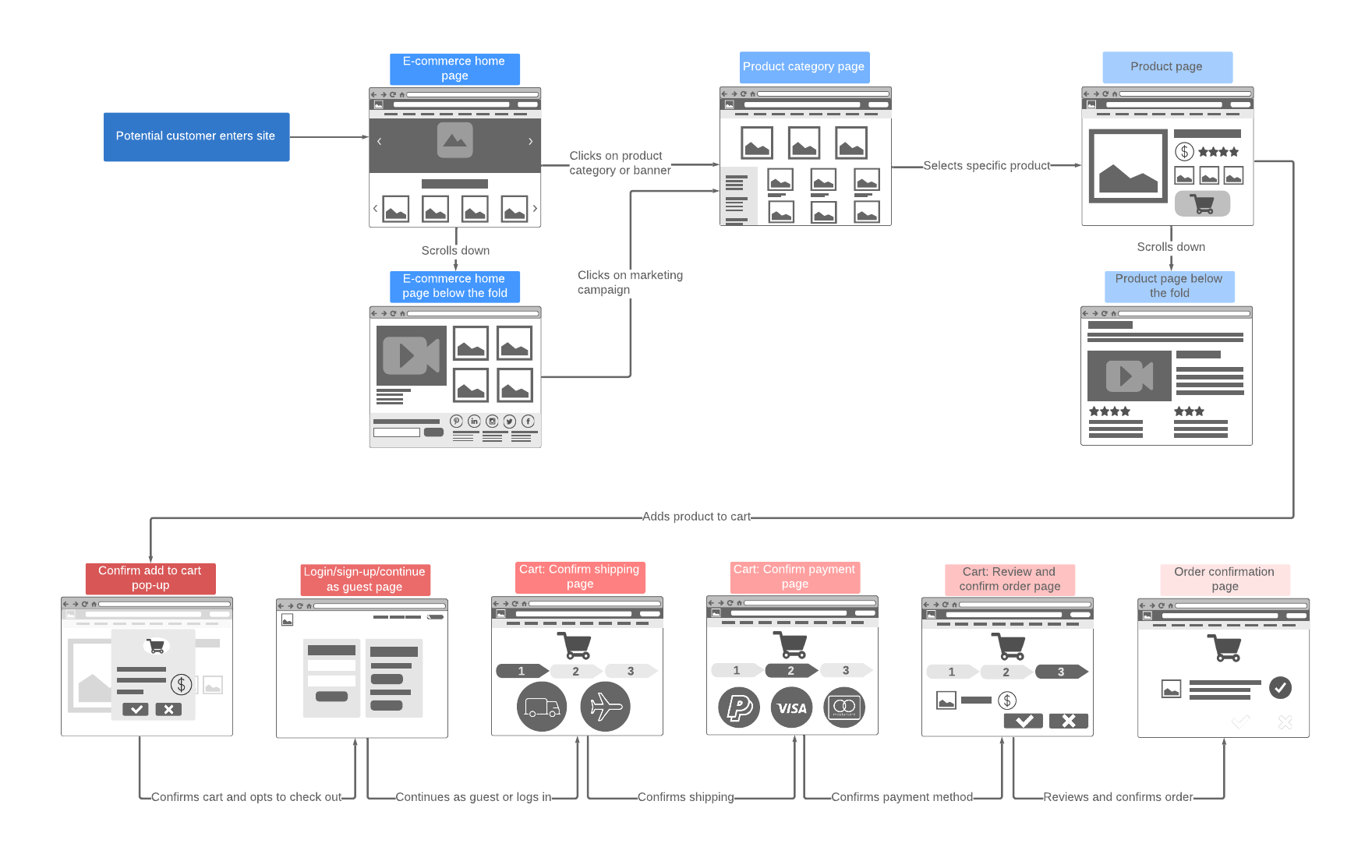
Use IA to determine the usability of your site. Try to make sense of how your information is displayed and how your visitors will access it.
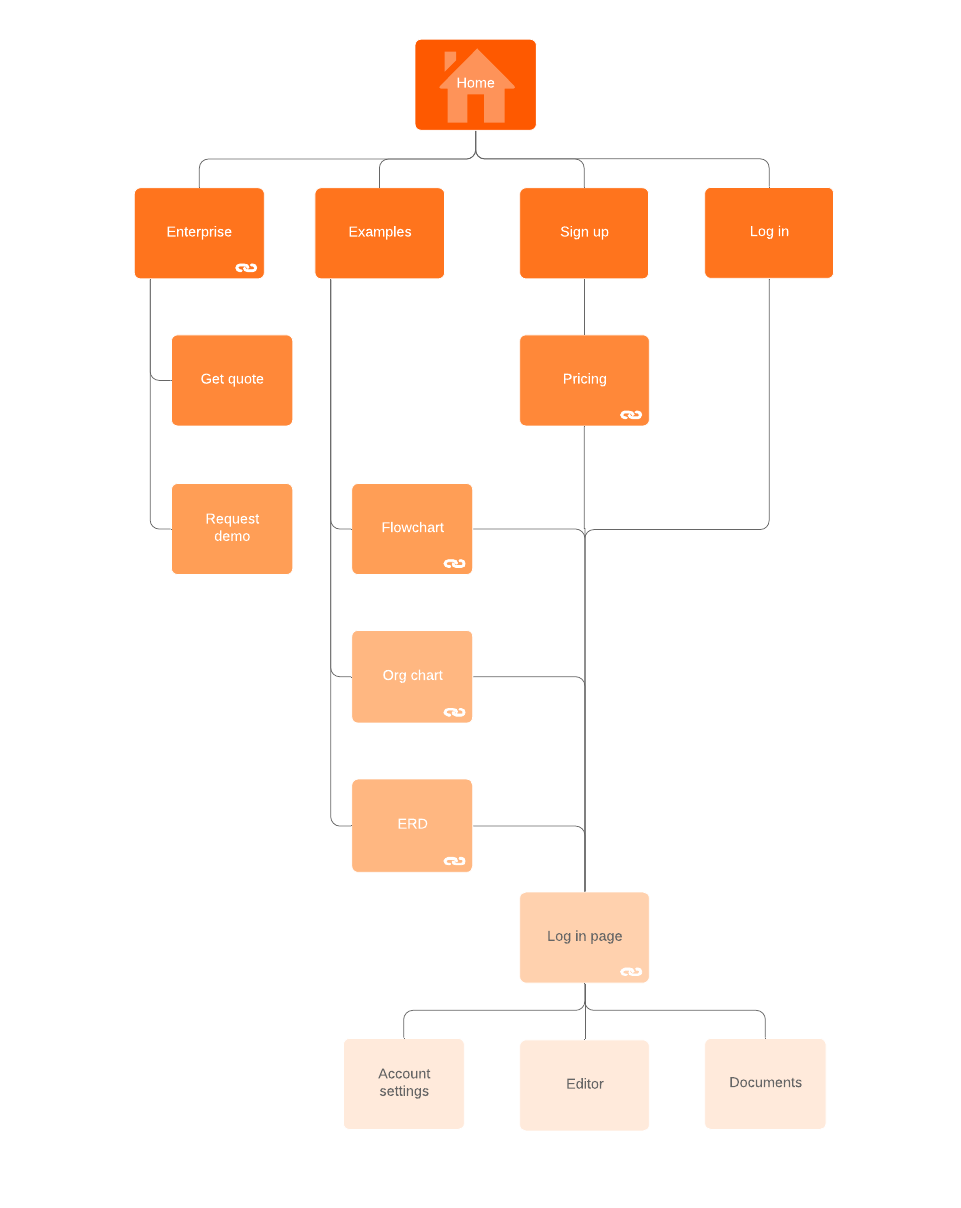
Create a sitemap to give you a visual representation of the navigation and flow of your site based on your IA analysis. Use Lucidchart to create a sitemap to help you decide which pages you want and how those pages should be arranged.
A sitemap can be useful for other people on your team or in other departments, such as graphic designers and programmers, who may be assigned to help with the website development.